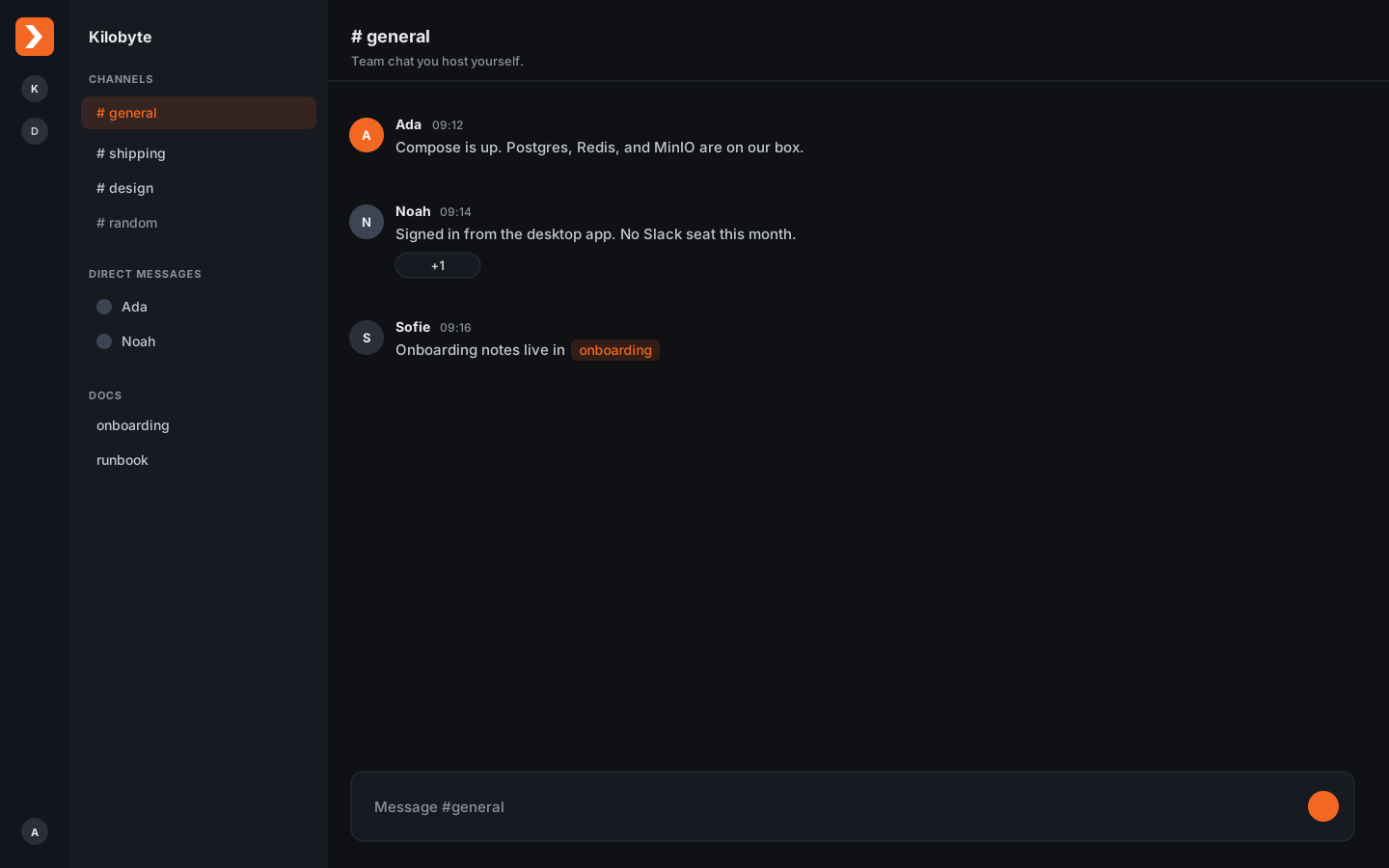
Channels and DMs
Public and private channels, mentions, reactions, and scheduled send. People open Dagr and already know where to type.
Privacy-centric, self-hostable team chat. A Slack alternative you run yourself.
UI is changing during early development, and might not be acurate.
Apache 2.0
One product. No enterprise upsell to stay complete.
One Compose file
API, Postgres, Redis, and MinIO on infrastructure you control.
No required SaaS
Email and object storage are optional to configure.
Desktop and web
Sign in from the app, a browser, or several servers at once.
Channels, DMs, docs, and a desktop app your team already understands. Postgres, Redis, and files stay on infrastructure you control.
Public and private channels, mentions, reactions, and scheduled send. People open Dagr and already know where to type.
A markdown wiki beside chat. Mention pages with [[slug]] so the conversation and the write-up stay together.
In-app inbox and OS alerts. Silence a channel or keep mentions loud, per account.
Post into a channel from the tools you already run. Native JSON or Slack-compatible payloads.
Run the stack yourself with no seat tax, or use Dagr Cloud when you would rather not operate a server.
macOS and Windows app, plus the same UI in a browser. Stay signed in to Cloud and a server you host.
Keep the model your team already knows. Drop the vendor. Mattermost, Rocket.Chat, Zulip, and Element are compared in the docs.
| Dagr | Slack | |
|---|---|---|
| Who holds the messages | You, on your server or Dagr Cloud | Slack |
| Self host | Yes, one Compose file | No |
| History | Unlimited on self host and Cloud Pro | 90 days on Free, then pay |
| Price | Your infra, or Cloud Pro at €7 per seat | Paid seats to keep history and the full product |
| Licence | Apache 2.0 | Proprietary |
Self hosted workspaces are not on a plan. Cloud is the same product when you would rather not run a server.
Your infra
No plan. No seat tax.
€0
Hosted by Kilobyte.
€7
Per seat per month.
During early access, the first 3 months of Cloud Pro are 50% off. External guests do not add to the bill. Seat rules and yearly pricing
After install, sign in to Dagr Cloud or enter the address of a server you host.
See the documentation for self hosting.